

You are using an out of date browser. It may not display this or other websites correctly.
You should upgrade or use an alternative browser.
You should upgrade or use an alternative browser.
Avatar in header
- Thread starter jdab
- Start date

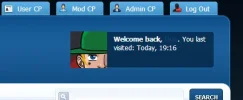
pandaa said:Can you post your header_welcomeblock_member template please? I believe that's the one we're looking at.
Code:
<div class="mainwrap">
<div class="top_bar">
<ul>
<li><a href="{$mybb->settings['bburl']}/member.php?action=logout&logoutkey={$mybb->user['logoutkey']}" class="top_bar_lout"><span>{$lang->welcome_logout}</span></a></li>
{$admincplink}
{$modcplink}
<li><a href="{$mybb->settings['bburl']}/usercp.php" class="top_bar_ucp"><span>{$lang->welcome_usercp}</span></a></li>
</ul>
</div>
<div class="header_main"><div class="header_left"><div class="header_right">
<div class="logo"><a href="{$mybb->settings['bburl']}/index.php"><img src="{$theme['logo']}" alt="{$mybb->settings['bbname']}" title="{$mybb->settings['bbname']}" /></a></div>
<div class="header_side"><div id="panel">
<div style="background: transparent url({$mybb->user['avatar']}) 0 0 no-repeat;width:68px;height:68px;float:left"></div>
<div class="panel_wrap">
{$lang->welcome_back}
</div>
</div></div>
<div class="clear"></div>
</div></div></div>
<div id="navbar">
<ul id="nav">
<li><a href="{$mybb->settings['bburl']}">Home</a></li>
<li><a href="{$mybb->settings['bburl']}/memberlist.php">{$lang->toplinks_memberlist}</a></li>
<li><a href="{$mybb->settings['bburl']}/misc.php?action=help">{$lang->toplinks_help}</a></li>
</ul>
<div id="search">
<form action="{$mybb->settings['bburl']}/search.php" method="post">
<div class="search_input_wrap"><input name="keywords" class="nav_search_input" title="Enter your search keywords" type="text" /></div>
<input value="" name="submit-search" class="nav_search_button" type="submit" />
<input type="hidden" name="action" value="do_search" />
</form>
</div>
<div class="clear"></div>
</div>
</div>
</div>
<div id="container"><div class="container_wrap">
<div class="mainwrap">
<div class="subnav">
<div class="float_right"><a href="{$mybb->settings['bburl']}/search.php">Advanced {$lang->toplinks_search}</a></div>
<a href="{$mybb->settings['bburl']}/search.php?action=getnew">{$lang->welcome_newposts}</a> | <a href="{$mybb->settings['bburl']}/search.php?action=getdaily">{$lang->welcome_todaysposts}</a> | <a href="#" onclick="MyBB.popupWindow('{$mybb->settings['bburl']}/misc.php?action=buddypopup', 'buddyList', 350, 350);">{$lang->welcome_open_buddy_list}</a> | <a href="{$mybb->settings['bburl']}/private.php">{$lang->welcome_pms}</a> {$lang->welcome_pms_usage}<!-- ProfileComments --> | <a href="{$mybb->settings['bburl']}/member.php?action=profile&uid={$mybb->user['uid']}" title="{$lang->profile_comments}">{$lang->profile_comments_new_inmenu}</a> {$lang->profile_comments_new_inmenu_count}<!-- /ProfileComments --> | <a href="http://blogpromotion.net/newpoints.php">BP Bucks</a>
</div>
Seems like it's being cropped down to 68x68 because of this bit:
Your full avatar (120x120) would just barely fit in that spot though.
Code:
<div style="background: transparent url({$mybb->user['avatar']}) 0 0 no-repeat;width:68px;height:68px;float:left"></div>Your full avatar (120x120) would just barely fit in that spot though.
Ah okay, what should I input to show the full avatar?Kik said:Seems like it's being cropped down to 68x68 because of this bit:
Code:<div style="background: transparent url({$mybb->user['avatar']}) 0 0 no-repeat;width:68px;height:68px;float:left"></div>
Your full avatar (120x120) would just barely fit in that spot though.
I'm not sure. You could change the height and width to 120x120 but like I said, it barely fits - and I'm not sure what that would mean for people with a smaller avatar than that size, or how it will affect the box to the right. You could always try something in the middle like 100x100. It'd be better if it just resized instead of cropping though, but I'm not sure how that's done.
I tried that put it just put the avatar to full size making it larger than the area it is in now.Kik said:I'm not sure. You could change the height and width to 120x120 but like I said, it barely fits - and I'm not sure what that would mean for people with a smaller avatar than that size, or how it will affect the box to the right. You could always try something in the middle like 100x100. It'd be better if it just resized instead of cropping though, but I'm not sure how that's done.

In: header_welcomeblock_member
Find:
Replace with:
Changing the width (86px) and height (86px) to what you have it set to in the ACP.
Find:
Code:
<div style="background: transparent url({$mybb->user['avatar']}) 0 0 no-repeat;width:68px;height:68px;float:left"></div>Replace with:
Code:
<img src="{$mybb->user['avatar']}" border="0" width="86" height="86" />Changing the width (86px) and height (86px) to what you have it set to in the ACP.
I received help from the MyBB forum but thanks anyway!J Greig said:Hi Flux, did the above work?
About Us
Since 2007, Forum Promotion has specialized in providing advertising solutions to webmasters looking to promote their communities. We pride ourselves in being the bridge that connects forum administrators, bloggers, and more.
Affiliates


