

You are using an out of date browser. It may not display this or other websites correctly.
You should upgrade or use an alternative browser.
You should upgrade or use an alternative browser.
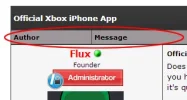
Change size of 'Author' and 'Message' bars
- Thread starter jdab
- Start date


master412160
Seasoned Veteran
A link to the page would be useful.
www.LevelUnlocked.net/forummaster412160 said:A link to the page would be useful.
It's just a code edit though right?
master412160
Seasoned Veteran
Somewhere in the template there is "width: 15%"
Edit Template: postbit and change it to:
width: 250px;
Edit Template: postbit and change it to:
width: 250px;
Code:
{$ignore_bit}
<a name="pid{$post['pid']}" id="pid{$post['pid']}"></a>
<table border="0" cellspacing="{$theme['borderwidth']}" cellpadding="{$theme['tablespace']}" class="tborder" style="{$post_extra_style} {$post_visibility}" id="post_{$post['pid']}">
	<tbody>
		<tr>
			<td class="tcat">
				<div class="float_left smalltext">
					{$post['postdate']}, {$post['posttime']} <span id="edited_by_{$post['pid']}">{$post['editedmsg']}</span>
				</div>
				{$post['posturl']}
			</td>
		</tr>

		<tr>
			<td class="trow1 {$unapproved_shade}">
				<table cellspacing="0" cellpadding="0" border="0" style="width: 15%;">
					<tr>
						<td class="post_avatar" width="1" style="{$post['avatar_padding']}">
							{$post['useravatar']}
						</td>
						<td class="post_author">
							<strong><span class="largetext">{$post['profilelink']}</span></strong> {$post['onlinestatus']}<br />
							<span class="smalltext">
								{$post['usertitle']}<br />
								{$post['userstars']}
								{$post['groupimage']}
							</span>
						</td>
						<td class="smalltext post_author_info" width="165">
							{$post['user_details']}{$post['newpoints_postbit']}<br />{$post['usermood']}
						</td>
					</tr>
				</table>
			</td>
		</tr>

		<tr>
			<td class="trow2 post_content {$unapproved_shade}">
				<span class="smalltext"><strong>{$post['icon']}{$post['subject']} {$post['subject_extra']}</strong></span>

				<div class="post_body" id="pid_{$post['pid']}">
					{$post['message']}
				</div>
				{$post['attachments']}
				{$post['signature']}

				<div class="post_meta" id="post_meta_{$post['pid']}">
				{$post['iplogged']}
				</div>
			</td>
		</tr>

		<tr>
			<td class="trow1 post_buttons {$unapproved_shade}">
				<div class="author_buttons float_left">
					{$post['button_email']}{$post['button_pm']}{$post['button_www']}{$post['button_find']}{$post['button_rep']}
				</div>
				<div class="post_management_buttons float_right">{$post['button_edit']}{$post['button_quickdelete']}{$post['button_quote']}{$post['button_multiquote']}{$post['button_report']}{$post['button_warn']}{$post['button_reply_pm']}{$post['button_replyall_pm']}{$post['button_forward_pm']}{$post['button_delete_pm']}
				</div>
			</td>
		</tr>
	</tbody>
</table>
Can't find it anywhere :S
master412160
Seasoned Veteran
<table cellspacing="0" cellpadding="0" border="0" style="width: 15%;">
I'm not sure but I think that is it.
I'm not sure but I think that is it.
I tried that before and it did nothing.master412160 said:<table cellspacing="0" cellpadding="0" border="0" style="width: 15%;">
I'm not sure but I think that is it.
master412160
Seasoned Veteran
Try looking in the other templates if you find anywhere what I put in bold.

Here you go:
Code:
{$ignore_bit}
<table border="0" cellspacing="{$theme['borderwidth']}" cellpadding="{$theme['tablespace']}" class="tborder" style="{$post_extra_style} {$post_visibility}" id="post_{$post['pid']}">
	<tr>
		<td class="{$altbg}" width="250px" valign="top" style="white-space: nowrap; text-align: center;"><a name="pid{$post['pid']}" id="pid{$post['pid']}"></a>
		<strong><span class="largetext">{$post['profilelink']}</span></strong> {$post['onlinestatus']}<br />
		<span class="smalltext">
			{$post['usertitle']}<br />
			{$post['userstars']}
			{$post['groupimage']}
			{$post['useravatar']}<br />
			{$post['user_details']}{$post['newpoints_postbit']}<br />{$post['usermood']}
		</span>
	</td>
	<td class="{$altbg}" valign="top">
		<table width="100%">
			<tr><td>{$post['posturl']}<span class="smalltext"><strong>{$post['icon']}{$post['subject']} {$post['subject_extra']}</strong></span>
			<br />
			<div id="pid_{$post['pid']}" style="padding: 5px 0 5px 0;">
				{$post['message']}
			</div>
			{$post['attachments']}
			{$post['signature']}
			<div style="text-align: right; vertical-align: bottom;" id="post_meta_{$post['pid']}">
				<div id="edited_by_{$post['pid']}">{$post['editedmsg']}</div>
				{$post['iplogged']}
			</div>
		</td></tr>
	</table>
</td>
</tr>
<tr>
	<td class="{$altbg}" style="white-space: nowrap; text-align: center; vertical-align: middle;"><span class="smalltext">{$post['postdate']} {$post['posttime']}</span></td>
	<td class="{$altbg}" style="vertical-align: middle;">
		<table width="100%" border="0" cellpadding="0" cellspacing="0">
			<tr valign="bottom">
				<td align="left" ><span class="smalltext">{$post['button_email']}{$post['button_pm']}{$post['button_www']}{$post['button_find']}{$post['button_rep']}</span></td>
				<td align="right">{$post['button_edit']}{$post['button_quickdelete']}{$post['button_quote']}{$post['button_multiquote']}{$post['button_report']}{$post['button_warn']}{$post['button_reply_pm']}{$post['button_replyall_pm']}{$post['button_forward_pm']}{$post['button_delete_pm']}</td>
			</tr>
		</table>
	</td>
</tr>
</table>About Us
Since 2007, Forum Promotion has specialized in providing advertising solutions to webmasters looking to promote their communities. We pride ourselves in being the bridge that connects forum administrators, bloggers, and more.
Affiliates


