

You are using an out of date browser. It may not display this or other websites correctly.
You should upgrade or use an alternative browser.
You should upgrade or use an alternative browser.
Cleaning file on tablet without factory reset
- Thread starter Ashley
- Start date

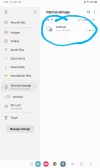

What brand of tablet are you using? Most tablets come with some kind of built-in storage or cleanup tool that lets you choose what to remove, For example, on my Redmi tablet there’s a storage organiser that shows files based on where they’re stored, making it easy to clear things out.
If yours doesn’t have something similar, check your app store, there are plenty of apps that let you manage storage and clean up files. Just pick one that looks reliable and does what you need 👍
If yours doesn’t have something similar, check your app store, there are plenty of apps that let you manage storage and clean up files. Just pick one that looks reliable and does what you need 👍

That directory probably contains system files that shouldn't be deleted, unless I'm missing something.
That's what a friend of mine on Facebook saidThat directory probably contains system files that shouldn't be deleted, unless I'm missing something.
Clean it without resetting by going into settings and checking Storage to see what’s taking up space, then deleting apps you don’t use. Go into My Files and remove downloads, old videos and random files that build up, and I clear app cache in Settings so it frees space without deleting anything important. also empty the recycle bin in Gallery because stuff still sits there.@Page I use a Samsung Galaxy A7 Lite 32 GB.
If you want it quicker, look at using Files by Google or CCleaner because they find junk, duplicates and large files automatically and make it easy to clear everything out.
About Us
Since 2007, Forum Promotion has specialized in providing advertising solutions to webmasters looking to promote their communities. We pride ourselves in being the bridge that connects forum administrators, bloggers, and more.
Affiliates


