WebHostVoice
Familiar Face
Moving a website is so easy for me because of I did this many times. I run my single personal blog in my native language and few year ago one of hosting company disabled backup feature but I move my site in 5 minute :cheer:
It does not matter If you use cPanel/Siteworx/direct admin or whatever.
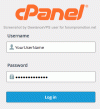
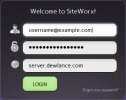
Login to your control panel(cp/da/siteworx)
If you don't know how to login then here is example of login url of following control panels however some of host use different port and you need to check your welcome email or contact your hosting company.
cPanel: http:// example.com:2082
SiteWorx: https:// server.example.com:2443/siteworx/index.php?action=login
Direct Admin: http:// server.example.com:2222

Take a backup of Files/Folder
Go to file manager
Most of control panel provide online file manager, In File Manager select all files/folders and create a compressed zip/tar file using "compress file" feature.

Once compressed file generated then for security reason move it inside home folder then download compressed file to your desktop and remove generated file from your web server.
Now login to your new hosting control panel, go to file manager and use upload feature to upload your file and extract it to your public home folder.
Moving SQL Database?
If your site use database then login to your control panel, go to phpMyAdmin and use export feature to export database to your desktop.

Now you need to login to your new hosting control panel and import it from phpMyAdmin using import tool.

- Manually create email accounts on your new site and take a backup of email by FTP.
Now test your website, If it does not work then try to fix your software/script and change site IP/URL in settings.
It does not matter If you use cPanel/Siteworx/direct admin or whatever.
Login to your control panel(cp/da/siteworx)
If you don't know how to login then here is example of login url of following control panels however some of host use different port and you need to check your welcome email or contact your hosting company.
cPanel: http:// example.com:2082
SiteWorx: https:// server.example.com:2443/siteworx/index.php?action=login
Direct Admin: http:// server.example.com:2222
Take a backup of Files/Folder
Go to file manager
Most of control panel provide online file manager, In File Manager select all files/folders and create a compressed zip/tar file using "compress file" feature.
Once compressed file generated then for security reason move it inside home folder then download compressed file to your desktop and remove generated file from your web server.
Now login to your new hosting control panel, go to file manager and use upload feature to upload your file and extract it to your public home folder.
Moving SQL Database?
If your site use database then login to your control panel, go to phpMyAdmin and use export feature to export database to your desktop.
Now you need to login to your new hosting control panel and import it from phpMyAdmin using import tool.
- Manually create email accounts on your new site and take a backup of email by FTP.
Now test your website, If it does not work then try to fix your software/script and change site IP/URL in settings.