
Eh. The bullets don't fit that. The bullets idea is meant to go with the gritty, 3D feel of logos. Its like the video I showed you in PM.


You are using an out of date browser. It may not display this or other websites correctly.
You should upgrade or use an alternative browser.
You should upgrade or use an alternative browser.
Logo for CODForums?
- Thread starter Carlos X
- Start date




×slaps meetdilip back and forth×
The bullets are out of place, bro!
The logo looks fine on the site, but if I was in person, I'd slap u to wake you up! (lol)
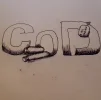
When I say bullets next to the logo, I meant, like as if the bullet was part of the logo, not tacked on to it. Maybe I should draw it so you can understand what I meant.
Here is an early 3D Design wallpaper I had done for me...

Now, I don't expect you to have the same physical design, but the word "community" is next to the logo as contrast, and as you can see, there are reflection.
The bullets are out of place, bro!
The logo looks fine on the site, but if I was in person, I'd slap u to wake you up! (lol)
When I say bullets next to the logo, I meant, like as if the bullet was part of the logo, not tacked on to it. Maybe I should draw it so you can understand what I meant.
Here is an early 3D Design wallpaper I had done for me...
Now, I don't expect you to have the same physical design, but the word "community" is next to the logo as contrast, and as you can see, there are reflection.


This one, but take out the bullets. I like the other one, but it has "Adobe Stock" on it. So this is the final central logo. Finalize it, do the mobile dimensions as clearly stated in OP.
‐----- END ------
Separate Note:
I would like the others I selected for swapping images on a yearly basis. For these images treat them as logos in 500x[ratio here]
After this, you are done. Thanks for your work.
EDIT: Adobe Stock is a service. No wonder. ×sigh×
Last edited:
This one is my absolute favorite. But as I said before, this has "Adobe Stock" which isn't removed unless you have a subscription.Concrete as the outline. Let me know if you want to change the brightness at any area. I think that can be done
View attachment 10078
As I said above, this is the final image that removes bullets.
This one..
This one..
This one..
This one, but cut the slants here.
Annd...
^ Cut that slant. And...








Excellent. Now I need...
All three are metadata, and mobile app images.+ 2nd Mobile Icon must be 512x512


Thanks, but just to remind you, the images you posted for this and below are not in spaces (the whitespaces i explained to you about with canvas.)@Carlos X updated the main logo by 512x512 image.
I know, that's why I'm speaking up.You need extra transparent space around the logo. Would be nice to know how you prefer it.
Currently, they are fit to the size with transparent background.
About Us
Since 2007, Forum Promotion has specialized in providing advertising solutions to webmasters looking to promote their communities. We pride ourselves in being the bridge that connects forum administrators, bloggers, and more.
Affiliates


