
Making Image Fit to Header

Venom

Seasoned Veteran
Joined
Sep 12, 2012
Messages
3,798
Reaction score
0
FP$
0
How can I stretch the image In the site im making, so that it fills the header?.

Its my first ever site hand coded in Notepad++ so im a bit of a noob. 😛


HTML

Code:
<!DOCTYPE html>
<html>
<head>
<link rel="stylesheet" href="style.css">
<title></title>
</head>

<div id="header">
</div>

<body>
<div id="main">
<p>test</p>
</div>
</body>

CSS

Code:
/*
p {color:blue;}
*/

body {
  background-image: url("images/background.png");
  background-repeat: repeat;
}

#main {
width: 980px;
height: 280px;
margin: 0 auto;
padding: 0px;
background-image: url("images/main.png");
background-repeat: repeat;
}

#header {
width: 980px;
height: 280px;
margin: 0 auto;
padding: 0px;
background-image: url("images/header.jpg");
background-repeat: no-repeat;
}
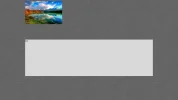
 

Attachments

  • index.webp
    index.webp
    148.3 KB · Views: 73
How big is that image you have stored on the server? If it is showing as full-size and you try to stretch it, it will be pretty distorted.

To answer your question though, your CSS is only indicating that the container (#header) is 980px, not the image itself.

You could add this in your html:

<img src="link to your image" height="280px" width="980px" />

Or you could give the image a class and define height/width in the CSS:

<img src="link to your image" class="headerimage" />


Let me know if this works! Thanks!
 
Ok thanks Ill try that. 🙂

Ill use a css class.

And the Image Is about 1920x1000.


Thanks.
 
First of all, I don't think that image is proportioned for the space you want. Second "stretch" is a sin. Bro you gatta crop it and make the image and the space work together. Photoshop it to your space you are providing, if you dont have photoshop, look up gimp. It is a free version. Anyway, you dont always have to fit an entire image to the header. Do some research and find a place that has the header the way you want it. then ask your self "do I like it?" and "does it work?" then by all means do what they did, but never "stretch "
 
Back
Top Bottom