

You are using an out of date browser. It may not display this or other websites correctly.
You should upgrade or use an alternative browser.
You should upgrade or use an alternative browser.
[NEW] Strike's Website designs
- Thread starter Jax
- Start date

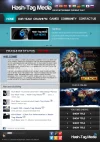
I like the Conservation Page the most. I think it would really appeal to that particular user- the conservationist.
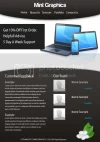
The only things I've noticed that are negative about these designs is clutter and text color/format.
For specific user groups, such as gamers, cluttered designs with complicated color, image, and text work pretty well.
However, for the standard user, simple and clean is always good. For example, if Hash-Tag Media is intended to appeal to a mass audience, you may want to simplify. If you must have advertisements, put them at the bottom, or bottom right of the page. And because it's a networking site, you may want create a clean toolbar for social media sites underneath your banner (header images). Your logo images look clean so I think they'd be great horizontally. If not, maybe in a vertical setup in spot #3 on the left. I'd experiment with that and the site navigation bar between spots #2 and #3. Keep top news in spot #1 (center). Also, you may have already done this, but you should have a feedback form for users to fill out linked to (not unlike your 'contact us' option) in your site navigation bar. That way, people who are actually using the site can provide direct feedback to you.
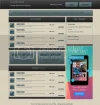
The auto site looks pretty clean. Maybe experiment with the text in the site navigation bar so the 's' and 'f' characters look cleaner.
Hope this helps!
The only things I've noticed that are negative about these designs is clutter and text color/format.
For specific user groups, such as gamers, cluttered designs with complicated color, image, and text work pretty well.
However, for the standard user, simple and clean is always good. For example, if Hash-Tag Media is intended to appeal to a mass audience, you may want to simplify. If you must have advertisements, put them at the bottom, or bottom right of the page. And because it's a networking site, you may want create a clean toolbar for social media sites underneath your banner (header images). Your logo images look clean so I think they'd be great horizontally. If not, maybe in a vertical setup in spot #3 on the left. I'd experiment with that and the site navigation bar between spots #2 and #3. Keep top news in spot #1 (center). Also, you may have already done this, but you should have a feedback form for users to fill out linked to (not unlike your 'contact us' option) in your site navigation bar. That way, people who are actually using the site can provide direct feedback to you.
The auto site looks pretty clean. Maybe experiment with the text in the site navigation bar so the 's' and 'f' characters look cleaner.
Hope this helps!
squeeksplace
Up-and-Coming Sensation
dude you rock. the car one above is awesome and i love the expendables one to
About Us
Since 2007, Forum Promotion has specialized in providing advertising solutions to webmasters looking to promote their communities. We pride ourselves in being the bridge that connects forum administrators, bloggers, and more.
Affiliates


