

You are using an out of date browser. It may not display this or other websites correctly.
You should upgrade or use an alternative browser.
You should upgrade or use an alternative browser.
pm notification box
- Thread starter windsor
- Start date

Lee Lawson
Seasoned Veteran
It is something that every forum has.
You just have to find it.
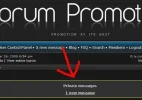
A4F has got one on the far right when a personal message comes through/
You just have to find it.
A4F has got one on the far right when a personal message comes through/

Hi windsor.
The PM notification is simply made up of "if statements" in the HTML and a bit of CSS. Originally it was created and implemented by "CyberAlien", the author of the popular phpBB styles such as AcidTech. Since then, forums such as ourselves have used the same snippets to add the feature.
Open overall_header.html
Add:
Open (colours.css or (if subsilver, use stylesheet.css))
Add to the bottom:
You'll need to go through the CSS changing all of the colour codes to match your forum's template.
Hope that helps ~smile~
The PM notification is simply made up of "if statements" in the HTML and a bit of CSS. Originally it was created and implemented by "CyberAlien", the author of the popular phpBB styles such as AcidTech. Since then, forums such as ourselves have used the same snippets to add the feature.
Open overall_header.html
Add:
Code:
<!-- IF not S_IS_BOT && not $CA_SKIP_PM_NOTIFY && S_USER_LOGGED_IN && S_DISPLAY_PM -->
	<!-- IF S_USER_NEW_PRIVMSG -->
		<div class="pm-notify-new"><div class="pm-notify-header">{L_PRIVATE_MESSAGES}</div><a href="{U_PRIVATEMSGS}">{PRIVATE_MESSAGE_INFO}<!-- IF PRIVATE_MESSAGE_INFO_UNREAD -->, {PRIVATE_MESSAGE_INFO_UNREAD}<!-- ENDIF --></a></div>
	<!-- ELSEIF S_USER_UNREAD_PRIVMSG -->
		<div class="pm-notify-unread"><div class="pm-notify-header">{L_PRIVATE_MESSAGES}</div><a href="{U_PRIVATEMSGS}">{PRIVATE_MESSAGE_INFO}<!-- IF PRIVATE_MESSAGE_INFO_UNREAD -->, {PRIVATE_MESSAGE_INFO_UNREAD}<!-- ENDIF --></a></div>
	<!-- ENDIF -->
<!-- ENDIF -->
Open (colours.css or (if subsilver, use stylesheet.css))
Add to the bottom:
Code:
.pm-notify-new, .pm-notify-unread {
	border: 1px solid #105289;
	background-color: #cadceb;
	margin: 10px 0;
	padding: 10px;
	text-align: center;
	font-size: 12px;
	font-weight: bold;
}
.pm-notify-new a, .pm-notify-new a:visited, .pm-notify-unread a, .pm-notify-unread a:visited { text-decoration: underline; }
.pm-notify-header {
	margin-bottom: 10px;
	color: #FF0000;
}
.pm-notify-new { padding: 10px; }
You'll need to go through the CSS changing all of the colour codes to match your forum's template.
Hope that helps ~smile~
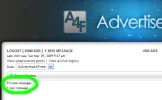
From the Screenshot it looks as if the HTML can't find the new code on the Stylesheet...which is odd because I browsed the stylesheet and it was right there at the bottom.
Seeing as you don't need to manually refresh Subsilver2's stylesheet after each change I can't think what this could be ~neutral~ have you tried purging the cache?
Seeing as you don't need to manually refresh Subsilver2's stylesheet after each change I can't think what this could be ~neutral~ have you tried purging the cache?
Wasting my time? Don't be ridiculous ~razz~
That's what I'm here for, any time you need more support feel free to start a new topic.
All the best ~smile~
That's what I'm here for, any time you need more support feel free to start a new topic.
All the best ~smile~
you maybe didn't purge your cache. that the reason whyJakJak said:I had to wait almost a week for the box to come up. 😛

CyberFreak
Legendary Typer
Go styles ---> *style name* ----> templates and then you will see overall_header.html :yes:Ashley said:I'm going to try this on my forum. I have always wanted something like this.
Edit: Where's the Overall_Header.html thing. Do I have to go to styles, or what do I click on?
About Us
Since 2007, Forum Promotion has specialized in providing advertising solutions to webmasters looking to promote their communities. We pride ourselves in being the bridge that connects forum administrators, bloggers, and more.
Affiliates


