I am trying to access my website using http://37.59.34.164/~rormaxco/ it has worked before but now shows a error 403.
Help would be much appreciated.
Help would be much appreciated.


Can I ask why you are using an IP to access your site?Dennis said:I am trying to access my website using http://37.59.34.164/~rormaxco/ it has worked before but now shows a error 403.
Help would be much appreciated.
The Reverend said:Can I ask why you are using an IP to access your site?Dennis said:I am trying to access my website using http://37.59.34.164/~rormaxco/ it has worked before but now shows a error 403.
Help would be much appreciated.
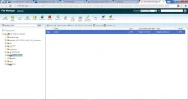
The Reverend said:What is contained within the sites folder?
The site is empty apart from that 😛
#
# Apache/PHP/Drupal settings:
#

# Protect files and directories from prying eyes.
<FilesMatch "\.(engine|inc|info|install|make|module|profile|test|po|sh|.*sql|theme|tpl(\.php)?|xtmpl)$|^(\..*|Entries.*|Repository|Root|Tag|Template)$">
  Order allow,deny
</FilesMatch>

# Don't show directory listings for URLs which map to a directory.
Options -Indexes

# Follow symbolic links in this directory.
Options +FollowSymLinks

# Make Drupal handle any 404 errors.
ErrorDocument 404 /index.php

# Set the default handler.
DirectoryIndex index.php index.html index.htm

# Override PHP settings that cannot be changed at runtime. See
# sites/default/default.settings.php and drupal_environment_initialize() in
# includes/bootstrap.inc for settings that can be changed at runtime.

# PHP 5, Apache 1 and 2.
<IfModule mod_php5.c>
  php_flag magic_quotes_gpc                 off
  php_flag magic_quotes_sybase              off
  php_flag register_globals                 off
  php_flag session.auto_start               off
  php_value mbstring.http_input             pass
  php_value mbstring.http_output            pass
  php_flag mbstring.encoding_translation    off
</IfModule>

# Requires mod_expires to be enabled.
<IfModule mod_expires.c>
  # Enable expirations.
  ExpiresActive On

  # Cache all files for 2 weeks after access (A).
  ExpiresDefault A1209600

  <FilesMatch \.php$>
    # Do not allow PHP scripts to be cached unless they explicitly send cache
    # headers themselves. Otherwise all scripts would have to overwrite the
    # headers set by mod_expires if they want another caching behavior. This may
    # fail if an error occurs early in the bootstrap process, and it may cause
    # problems if a non-Drupal PHP file is installed in a subdirectory.
    ExpiresActive Off
  </FilesMatch>
</IfModule>

# Various rewrite rules.
<IfModule mod_rewrite.c>
  RewriteEngine on

  # Block access to "hidden" directories whose names begin with a period. This
  # includes directories used by version control systems such as Subversion or
  # Git to store control files. Files whose names begin with a period, as well
  # as the control files used by CVS, are protected by the FilesMatch directive
  # above.
  #
  # NOTE: This only works when mod_rewrite is loaded. Without mod_rewrite, it is
  # not possible to block access to entire directories from .htaccess, because
  # <DirectoryMatch> is not allowed here.
  #
  # If you do not have mod_rewrite installed, you should remove these
  # directories from your webroot or otherwise protect them from being
  # downloaded.
  RewriteRule "(^|/)\." - [F]

  # If your site can be accessed both with and without the 'www.' prefix, you
  # can use one of the following settings to redirect users to your preferred
  # URL, either WITH or WITHOUT the 'www.' prefix. Choose ONLY one option:
  #
  # To redirect all users to access the site WITH the 'www.' prefix,
  # (http://example.com/... will be redirected to http://www.example.com/...)
  # uncomment the following:
  # RewriteCond %{HTTP_HOST} !^www\. [NC]
  # RewriteRule ^ http://www.%{HTTP_HOST}%{REQUEST_URI} [L,R=301]
  #
  # To redirect all users to access the site WITHOUT the 'www.' prefix,
  # (http://www.example.com/... will be redirected to http://example.com/...)
  # uncomment the following:
  # RewriteCond %{HTTP_HOST} ^www\.(.+)$ [NC]
  # RewriteRule ^ http://%1%{REQUEST_URI} [L,R=301]

  # Modify the RewriteBase if you are using Drupal in a subdirectory or in a
  # VirtualDocumentRoot and the rewrite rules are not working properly.
  # For example if your site is at http://example.com/drupal uncomment and
  # modify the following line:
  # RewriteBase /drupal
  #
  # If your site is running in a VirtualDocumentRoot at http://example.com/,
  # uncomment the following line:
  # RewriteBase /

  # Pass all requests not referring directly to files in the filesystem to
  # index.php. Clean URLs are handled in drupal_environment_initialize().
  RewriteCond %{REQUEST_FILENAME} !-f
  RewriteCond %{REQUEST_FILENAME} !-d
  RewriteCond %{REQUEST_URI} !=/favicon.ico
  RewriteRule ^ index.php [L]

  # Rules to correctly serve gzip compressed CSS and JS files.
  # Requires both mod_rewrite and mod_headers to be enabled.
  <IfModule mod_headers.c>
    # Serve gzip compressed CSS files if they exist and the client accepts gzip.
    RewriteCond %{HTTP:Accept-encoding} gzip
    RewriteCond %{REQUEST_FILENAME}\.gz -s
    RewriteRule ^(.*)\.css $1\.css\.gz [QSA]

    # Serve gzip compressed JS files if they exist and the client accepts gzip.
    RewriteCond %{HTTP:Accept-encoding} gzip
    RewriteCond %{REQUEST_FILENAME}\.gz -s
    RewriteRule ^(.*)\.js $1\.js\.gz [QSA]

    # Serve correct content types, and prevent mod_deflate double gzip.
    RewriteRule \.css\.gz$ - [T=text/css,E=no-gzip]
    RewriteRule \.js\.gz$ - [T=text/javascript,E=no-gzip]

    <FilesMatch "(\.js\.gz|\.css\.gz)$">
      # Serve correct encoding type.
      Header set Content-Encoding gzip
      # Force proxies to cache gzipped & non-gzipped css/js files separately.
      Header append Vary Accept-Encoding
    </FilesMatch>
  </IfModule>
</IfModule>Since 2007, Forum Promotion has specialized in providing advertising solutions to webmasters looking to promote their communities. We pride ourselves in being the bridge that connects forum administrators, bloggers, and more.


We use essential cookies to make this site work, and optional cookies to enhance your experience.
